 ×
×

Onboarding takes minutes,
not hours. On any device.
The Island browser, running our SafeMesh workspace. We use it every day.
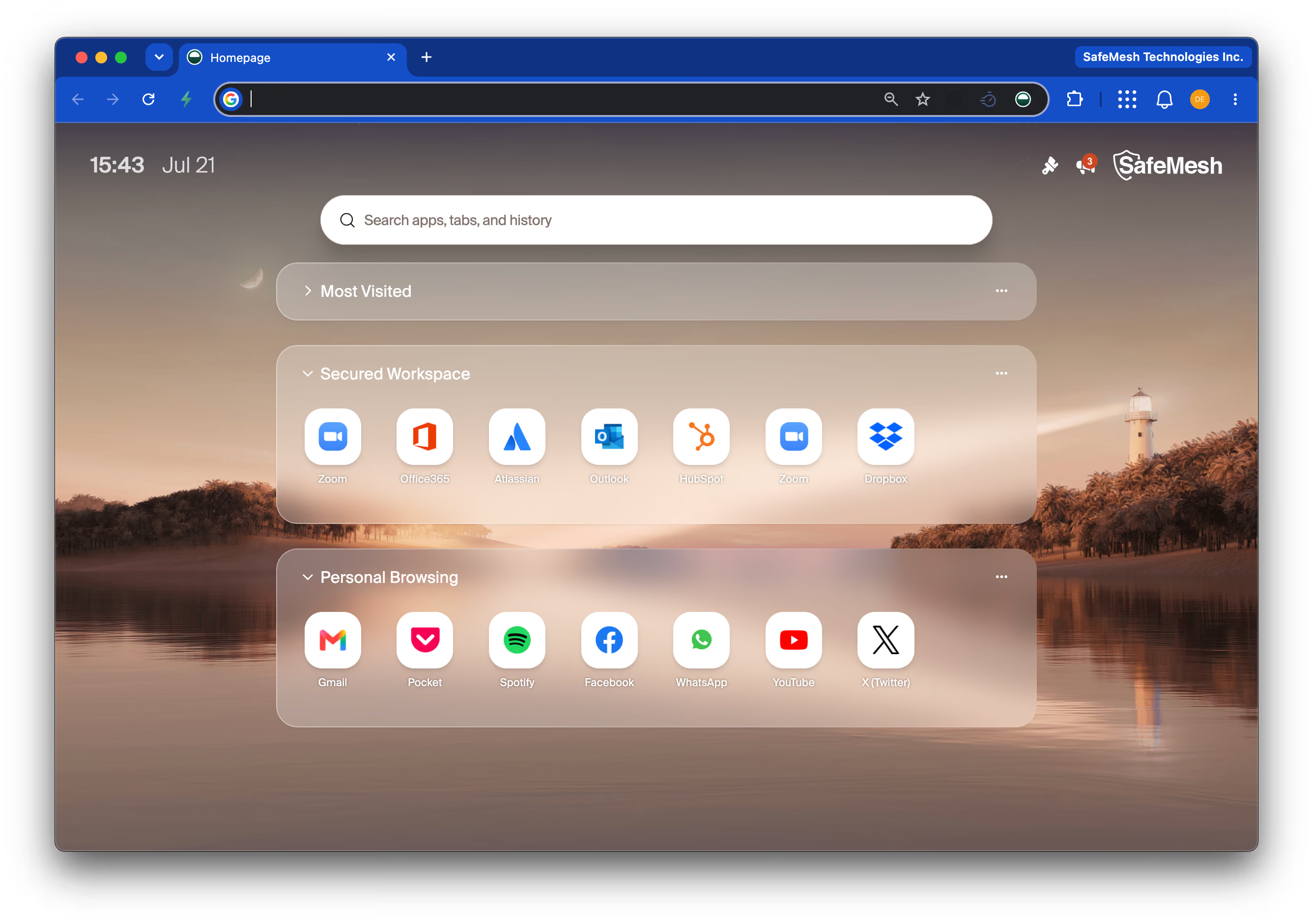
One Browser. One Workspace.
Works on any computer,
even personal ones.
Looks and works exactly like Chrome.
When someone leaves, no company
data is left on their device.
Security built in.
Nothing extra to install.
Sources: Forrester TEI study (commissioned by Island) and Island customer case studies.
We make Island work in your company.
Installing a browser is easy. Getting a whole company to switch is the hard part, and that's our job.
We fit it into your stack
Okta or Entra, your SIEM, your firewall, your VPN, your old VDI. We connect and configure all of it, because we already run your network security.
We write the right policies
What to block and what to allow, per app and per team, without breaking anyone's work. These are judgment calls about your business, not product settings.
We retire the old tools
The savings come from turning things off: VDI licences, proxy renewals, inspection appliances. We sequence that safely so nothing breaks.
We get your people on board
Rollout announcements, training, and answering "is this spyware?" honestly. We tune the policies until the browser is just how people work.
Management models.
- We design and deploy everything
- We train your team on the console
- Your team runs it day to day
- We're on call when you need help
Best if you have an in-house IT or security team.
- We handle policies, updates, and monitoring
- Your team handles day-to-day user requests
- We review together every month
- You keep full visibility and control
Best if you want control without the heavy lifting.
- We run policies, updates, and monitoring
- We onboard and offboard your users
- We handle all support requests
- One monthly price, nothing for your team to learn
Best if you want the outcome, not another system to run.
The first call is free.
Can people use their own laptops?
Yes, and this is where Island shines. Employees and contractors install the browser on their personal devices themselves, sign in with your identity provider, and your security policies apply only inside it. There's no MDM enrollment, no device profiles, and no "your employer can see everything" moment; their personal browsing stays completely private, with a visible indicator showing which mode they're in.
Will our web apps still work?
Yes, all of them. Island is built on Chromium, the same open-source engine that powers Chrome and Edge, so any SaaS or web application that works in those browsers works in Island with identical rendering. Extensions, bookmarks, and shortcuts carry over, and there's a legacy compatibility mode for older Internet Explorer applications.
What happens when a contractor leaves?
Turn off their account and access ends at that moment. Island never saves company data to the person's computer, so there's nothing left behind to clean up and no laptop to collect. Offboarding becomes a one-click event instead of a checklist.
How long until we see value?
Days to weeks, not quarters. Island is a fully functional browser from day one, so users can be deployed immediately while policies are built in parallel. Most organizations start with a single high-value use case, contractors, BYOD, or a VDI replacement, prove it, and expand from there.
Do we have to run it ourselves?
No. SafeMesh offers Island two ways. Self-managed: we set it up and train your team, then your team runs it. SafeMesh-managed: we run everything, including policies, updates, monitoring, support, and user onboarding, for one monthly price. Your team never has to learn another console unless they want to.
Why not just use Chrome Enterprise?
Chrome Enterprise manages the browser; it doesn't secure the work happening inside it. To match what Island builds in, data loss prevention, zero trust network access, session recording, BYOD controls, you'd typically be assembling three to five additional vendors around Chrome.
That's the short version. The full side-by-side is below.
Why not Edge with Microsoft Purview?
Edge is a capable browser, but its enterprise security features sit behind Microsoft 365 E3/E5 and Purview licensing, and full BYOD control leans on Intune enrollment, which means managing the whole personal device. Island delivers these capabilities in one platform, at one price, with no licence ladder and no device enrollment.
We keep a current line-by-line comparison; ask for it below.
Why not Prisma Access Browser?
It's a legitimate product, born from Palo Alto's acquisition of Talon, and it's designed primarily to steer traffic into the Prisma SASE platform. Its value assumes you're committed to that stack. Island is standalone: it works with whatever identity provider, SIEM, and network stack you already run, with no platform dependency behind it.
The details matter here; get the full comparison below.
Want the full side-by-side?
We maintain current comparisons of Island against Chrome Enterprise, Edge for Business, and Prisma Access Browser, capability by capability, licence by licence.
Get the full comparison